

 Deutsch
Astro Tools | Photoshop Plugin for Astrophotography (7-Day Trial)
€69,99 Original price was: €69,99.€0,00Current price is: €0,00.
No VAT shown, as small business owner according to Section 19 (1) German VAT Act.
Try Astro Tools for 7 days and test the full Photoshop plugin inside your own astrophotography workflow. Includes tools for star masks, star glow, star reduction, Milky Way enhancement, stacking workflows and more.
Astro Tools – Photoshop Plugin for Astrophotography
Astro Tools brings essential astrophotography processing steps into one clean Photoshop panel. It is built to speed up repetitive technical tasks while keeping full creative control inside Photoshop.
Instead of searching through actions or rebuilding the same layer setups again and again, Astro Tools gives you direct access to practical tools, sliders and workflow presets. Selected tools include a live preview on a chosen area, making it easier to test effects quickly before applying them to the full image.
7-Day Trial Version
This trial gives you access to Astro Tools for 7 days, so you can test the plugin directly inside your own Photoshop workflow before purchasing the full version.
Why use Astro Tools?
- Faster workflow: frequently used astrophotography tools in one focused Photoshop panel.
- Presets and fine-tuning: start with useful presets and adjust the result precisely with sliders.
- Live preview on selection: test selected effects faster, especially when working with large files.
- Mask-based workflows: apply adjustments selectively to sky, stars or specific regions.
- Consistent results: build repeatable workflows with a cleaner, more structured Photoshop setup.
Who is Astro Tools made for?
Astro Tools is built for astrophotographers who want to get more out of Photoshop — from first deep-sky edits to more advanced nightscape and Milky Way workflows.
It is especially useful if you want to save time while keeping a clean layer structure, editable results and full control over the final image.
Included tools
The current version of Astro Tools includes a growing set of tools for astrophotography processing:
- Star Mask: quickly detect stars and create usable masks for selective editing.
- Star Glow: add controlled glow to brighter stars.
- Star Reduction: reduce stars for cleaner and calmer star fields.
- Starless Workflow: create a starless layer and optionally keep a separate star layer.
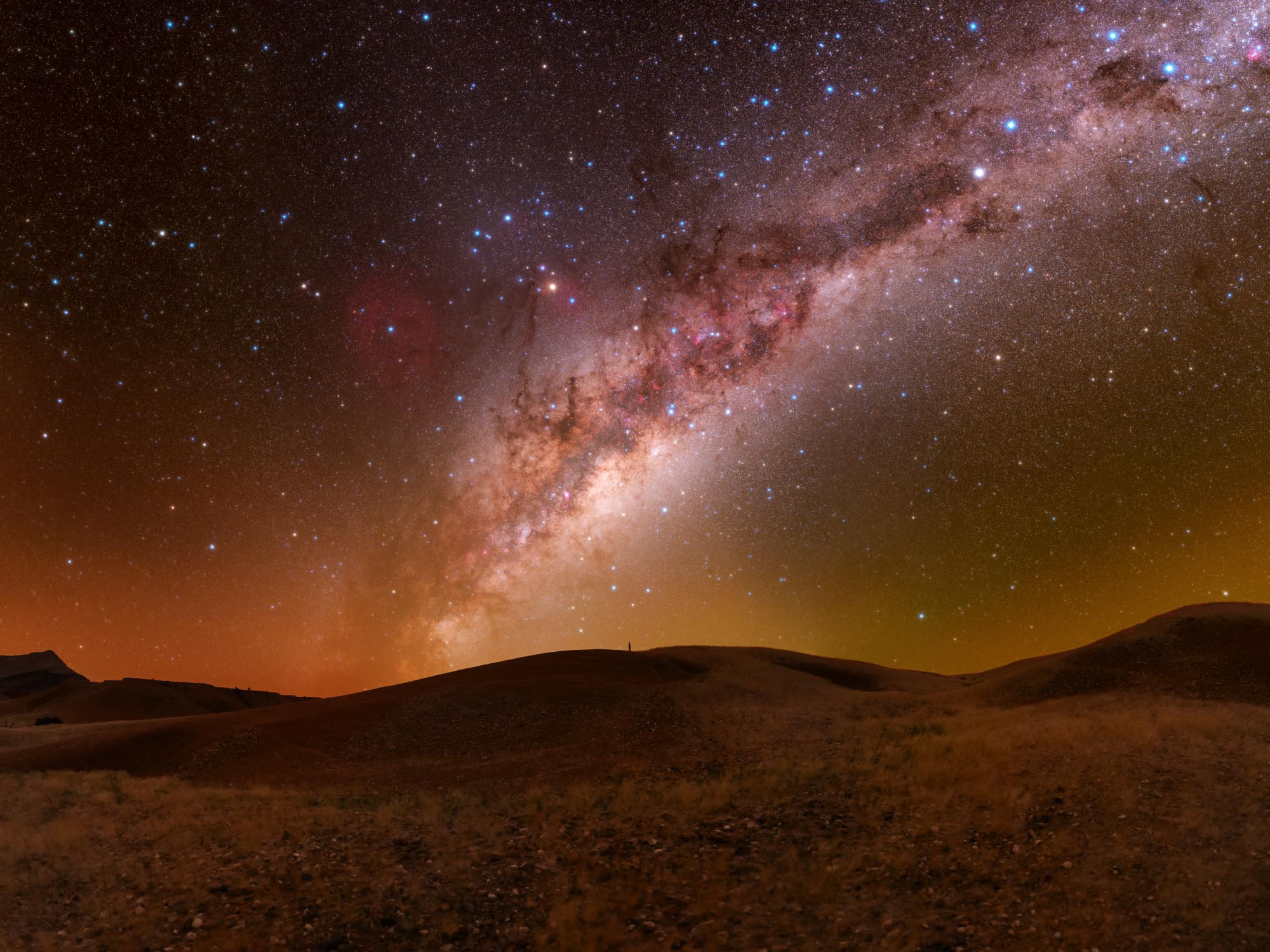
- Milky Way Details: enhance structure and detail in Milky Way images.
- Contrast + Color Boost: add contrast and color intensity in a controlled way.
- Arcsinh Stretch: stretch image data while preserving color more naturally.
- Orton Effect: create a soft glow and finishing effect for nightscape images.
- Basic Adjustments: adjust exposure, contrast, saturation, shadows and highlights.
- Noise Reduction: apply selective noise reduction with masking support.
- Stacking Tools: workflow tools for average, median, sigma and selected stacking tasks.
- Landscape Stacking: tools for combining sky and foreground stacks.
- Star Trails: create star trail images with additional workflow options.
- Settings: language selection, slider memory, debug logs and reset options.
Updates and future development
Astro Tools is actively developed and improved over time. Existing tools receive updates to fix issues, improve stability and add new features where useful.
When Photoshop starts, Astro Tools can check whether a newer version is available, helping you stay up to date with the latest release.
Important note about major updates
Regular Astro Tools 1.x updates are included. Major future upgrades, such as a possible version 2.0, may require an additional upgrade fee. More information will be provided if this becomes relevant.
Compatibility and notes
- Adobe Photoshop UXP Plugin: the latest Photoshop version is recommended. Backward compatibility is planned down to Photoshop 2023.
- Non-destructive workflow: Astro Tools is designed to keep your edits editable and structured where possible.
- Languages: Astro Tools supports English and German.
- Results may vary: the final result depends on your image data, processing choices and tool settings.
- Two activations per license: use Astro Tools on your main workstation and on a laptop when working on the go.
Only logged in customers who have purchased this product may leave a review.
Reviews
There are no reviews yet.